
Newsletter
Stay Updated
Subscribe to FrontendGeek Hub for frontend interview preparation, interview experiences, curated resources and roadmaps.
Newsletter
Subscribe to FrontendGeek Hub for frontend interview preparation, interview experiences, curated resources and roadmaps.
Social Tools
Upload a thumbnail image and preview how it looks on desktop, mobile, home feed, search, and suggested videos before you upload to YouTube.
Related
Overview
A YouTube Thumbnail Preview tool lets you upload a draft thumbnail and see how it reads in common YouTube UI layouts—player, phone, home feed, search, and suggested sidebar—before publishing.
How to use
Choose a JPG, PNG, or WebP thumbnail from your device.
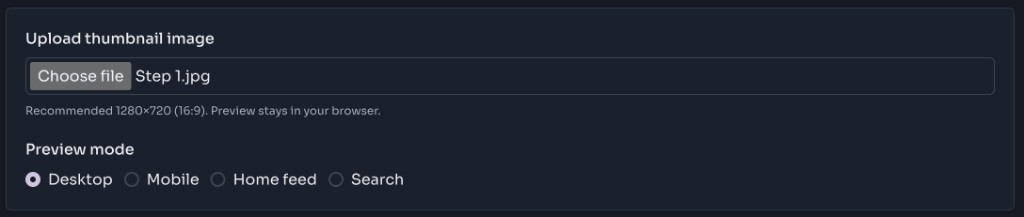
Switch between Desktop, Mobile, Home feed, Search, and Suggested videos.
Adjust your design, re-upload, and confirm it still reads clearly in each mode.
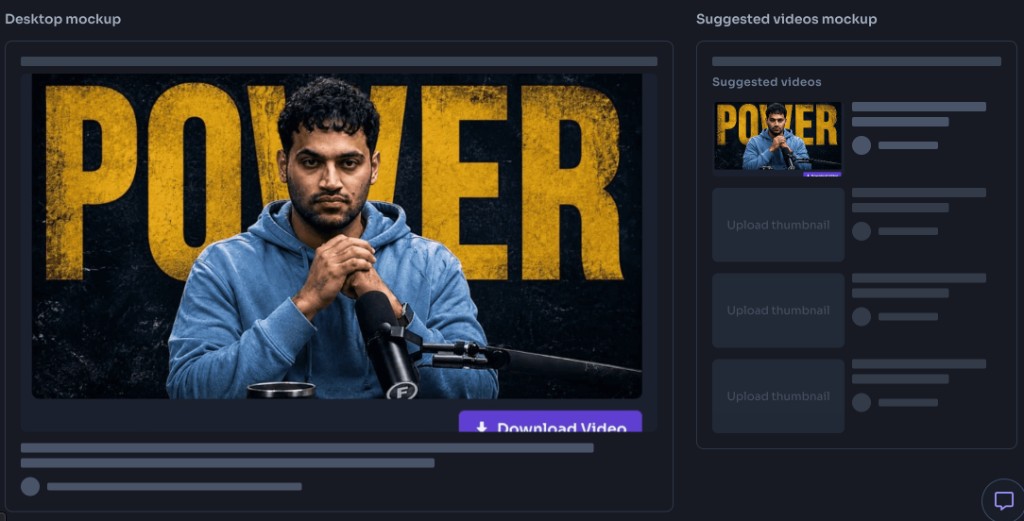
Why use it
Preview multiple thumbnail concepts in the same layouts so you can pick the clearest clickable design.
Confirm big titles and labels stay readable on desktop, mobile, search, and suggested sizes before publishing.
Make sure faces, products, and focal points are not cropped awkwardly in feed or sidebar mockups.
See how your image works beside typical title and channel placeholders so the package feels balanced.
Do a last layout check across home feed, search, and suggested videos before you upload the thumbnail.
Features
Preview desktop and mobile thumbnail framing
Check home feed and search list layouts
See suggested-video sidebar sizing
Catch text that is too small or cropped
Works fully in your browser with local image upload
FAQ
Quick answers about YouTube Thumbnail Preview.
YouTube recommends 1280×720 (16:9) with a minimum width of 640px. Keep important text away from edges.
Guides
Step-by-step Instant Download help, format comparisons, and troubleshooting from the Tools Guide.
Help others discover this free tool
Explore