
Newsletter
Stay Updated
Subscribe to FrontendGeek Hub for frontend interview preparation, interview experiences, curated resources and roadmaps.
Newsletter
Subscribe to FrontendGeek Hub for frontend interview preparation, interview experiences, curated resources and roadmaps.
Social Tools
Download copyright free music for YouTube — browse 100+ royalty-free MP3s for background music, convert copyright-free YouTube tracks to MP3, and find free music libraries safe for creators.
Related
Overview
Copyright free music (also called royalty-free or no-copyright music) is audio you can legally use in YouTube videos when you follow the license. Use this Download Copyright Free Music tool to browse free background tracks, convert copyright-free YouTube uploads to MP3, or jump to trusted free libraries. Need a general converter? Try YouTube to MP3 Converter.
How to use
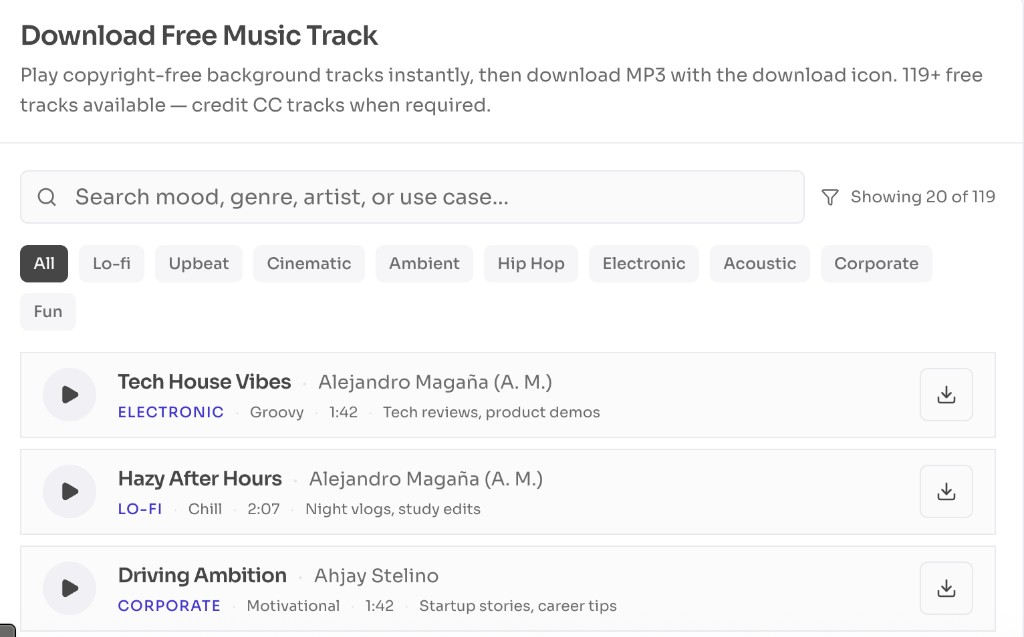
Expand a copyright-free YouTube channel to play latest uploads, or browse the free track list below for Mixkit / no-copyright picks.
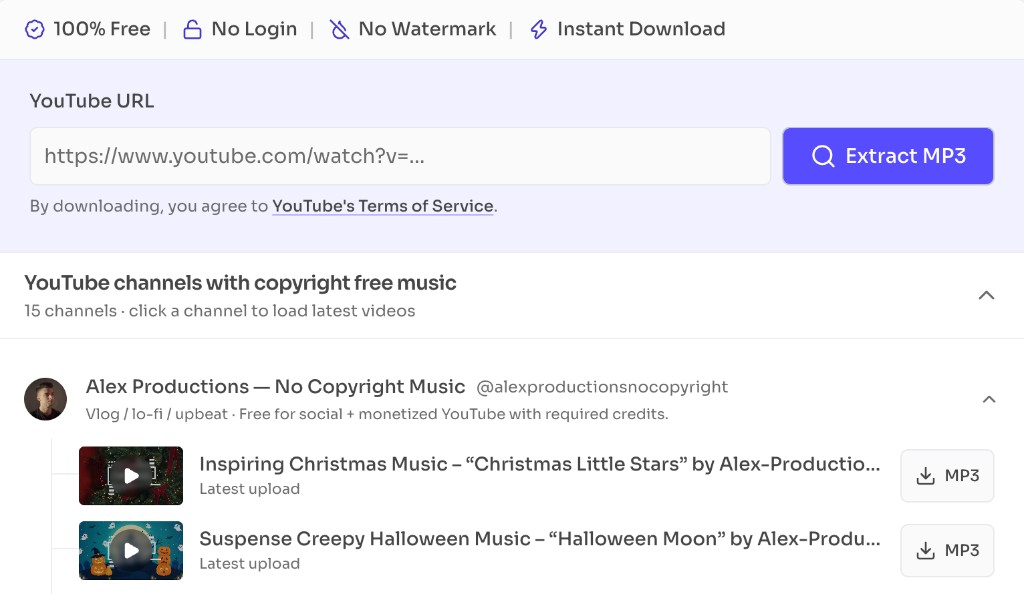
Click Download MP3 / MP3 on a track or channel video, or paste any copyright-free YouTube music URL above and click Extract MP3.
Copy the credit line from the track page when required (CC BY and many “no copyright” channels). Prefer YouTube Audio Library for zero-claim YouTube publishing.
Import the MP3 into your editor, lower the music under voiceover, export, and paste credits into your YouTube description before publishing.
Why use it
Features
Curated Mixkit and no-copyright YouTube picks for vlogs, travel, tech, ambient, hip-hop, and cinematic edits.
Paste a public no-copyright / CC music upload and download MP3 in the browser — same engine as our YouTube to MP3 converter.
Expand creator channels, play latest RSS uploads, extract MP3, or explore more videos on YouTube.
Each track and channel lists attribution expectations so you know when credit is required before monetizing.
Start with libraries that are built for video creators. YouTube Audio Library is the safest for YouTube-only uploads. Mixkit and Pixabay are strong for instant free MP3 downloads. Incompetech, Free Music Archive, and ccMixter are excellent Creative Commons sources when you credit correctly. Freemium apps like Uppbeat and Bensound add modern catalogs with free quotas.
Inside YouTube Studio → Audio Library. Filter by genre and attribution. Tracks are copyright-safe on YouTube.
Browser-based free MP3 downloads with clear licenses for YouTube, social, and online ads. Great for quick background beds.
Incompetech, Free Music Archive, and ccMixter. Avoid CC ND for video sync; always credit CC BY tracks.
Channels that publish free-to-use music with credit instructions. Use this tool’s Extract MP3 flow, then paste their required description credit.
People search “copyright free music” when they want claim-safe background audio. In practice you will see three related terms:
| License type | What it usually means | Attribution | Best for YouTube |
|---|---|---|---|
| Copyright free / public domain / CC0 | Use with few or no restrictions after confirming the source is legitimate. | Usually not required | Safest when the source is clear (Audio Library, CC0 catalogs) |
| Royalty free | Pay once or use a free tier; reuse without per-view royalties. Platform limits may still apply. | Sometimes required | Stock libraries and freemium creator plans |
| Creative Commons | Permission under a specific CC license. Avoid CC ND for synced video music. | Often required (CC BY) | Incompetech, FMA, ccMixter, many no-copyright channels |
Usually means you can use the music with few or no restrictions. Still confirm the source; fake “no copyright” uploads exist.
You typically pay once (or use a free tier) and can reuse the track without per-view royalties — but attribution or platform limits may still apply.
Permission is granted under a specific CC license. Credit is often required. Do not use CC ND tracks as synced video background music.
FAQ
Quick answers about Download Copyright Free Music.
It is music licensed so creators can use it in videos without a traditional per-use royalty — including YouTube Audio Library tracks, many Mixkit/Pixabay songs, CC0/public domain works, and Creative Commons tracks (with credit when required).
Guides
Step-by-step Instant Download help, format comparisons, and troubleshooting from the Tools Guide.
Help others discover this free tool
Explore
Quick Download Guide
How to download YouTube MP3
Follow these steps to download from YouTube quickly.
Paste URL and click Extract MP3
Paste a copyright-free YouTube music URL into the YouTube URL field and click Extract MP3.
Choose MP3 quality and download
In the download panel, pick an MP3 / audio quality and click Download to save the file.