
Newsletter
Stay Updated
Subscribe to FrontendGeek Hub for frontend interview preparation, interview experiences, curated resources and roadmaps.
Newsletter
Subscribe to FrontendGeek Hub for frontend interview preparation, interview experiences, curated resources and roadmaps.
PDF Tools
Free Doc to PDF converter online - Convert legacy Word Doc documents into a high-quality PDF in Seconds. 100% Free, No Login, No Watermark, and Instant Conversion.
Related
Overview
Doc to PDF conversion turns a legacy Microsoft Word document (.doc) into a portable PDF file. PDFs preserve layout more consistently across devices, making them ideal for sharing resumes, reports, contracts, and assignments.
How to use
Click the upload area and select a legacy .doc Word document from your device. Files up to 15MB are supported.
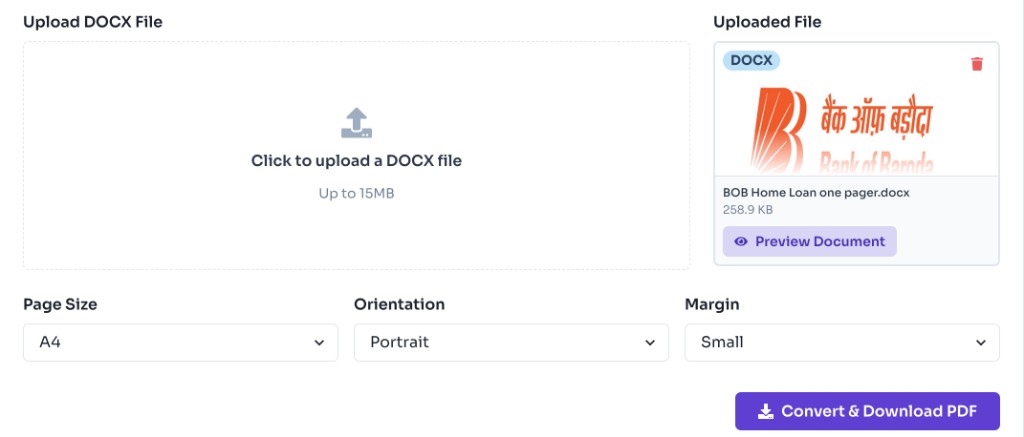
Review the file card preview after upload. Click Preview Document or the thumbnail to open the full document in a modal before converting.
Select page size (A4 or Letter), orientation, and margin based on how you want the PDF to look.

Click Convert & Download PDF. The tool creates your PDF locally in the browser and starts the download immediately.
Why use it
Features
Convert Word 97–2003 .doc files directly without saving as .docx first.
Convert .doc files to PDF directly in your browser without uploading documents to a server.
Your Word files never leave your device. Nothing is stored on our servers.
Choose A4 or Letter page size, portrait or landscape orientation, and margin size.
FAQ
Quick answers about Doc to PDF Converter.
Yes. FrontendGeek's Doc to PDF converter is completely free to use with no signup required.
Help others discover this free tool
Explore