
Guide
How to Download Instagram Videos for Free (Instagram to MP4)
Updated Oct 13, 2026
Step-by-step guide to download Instagram videos for free. Paste a public Instagram video or Reel link into Instagram Video Downloader and Save as MP4.
Free Instagram Downloader Tools
Download Instagram Video for free: Step-by-step Guide
Use FrontendGeek’s free browser tool to paste a public Instagram video or Reel URL and save an MP4 — no paid app required.
- 1
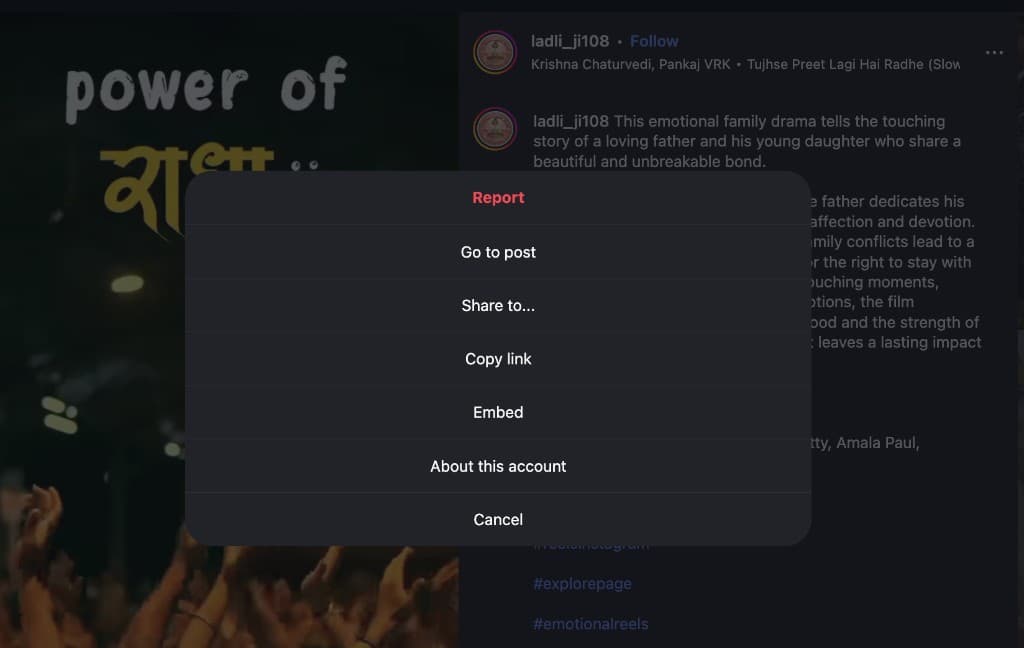
Copy the Instagram video link
Open the video or Reel in the Instagram app or on Instagram.com. Tap the ··· menu and choose Copy link option to copy video URL. Note that You need the full https://www.instagram.com/… URL you have copied.
- 2
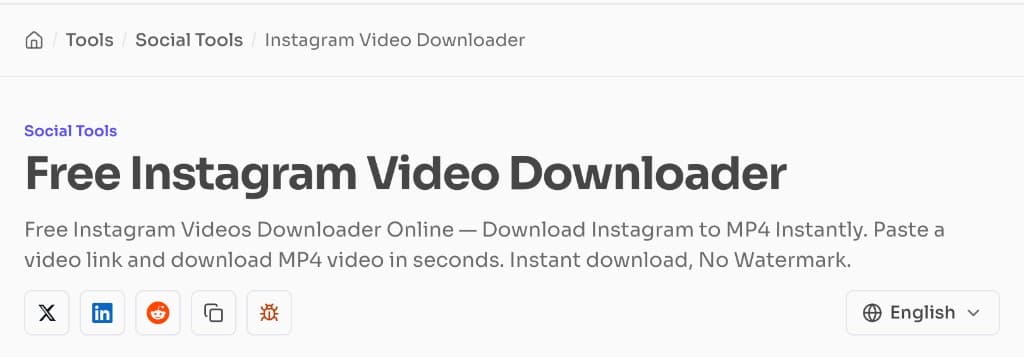
Open the Instagram Video Downloader
Open the Instagram Video Downloader on FrontendGeek. It works in any browser on desktop, laptop, or mobile — no app install required.
- 3
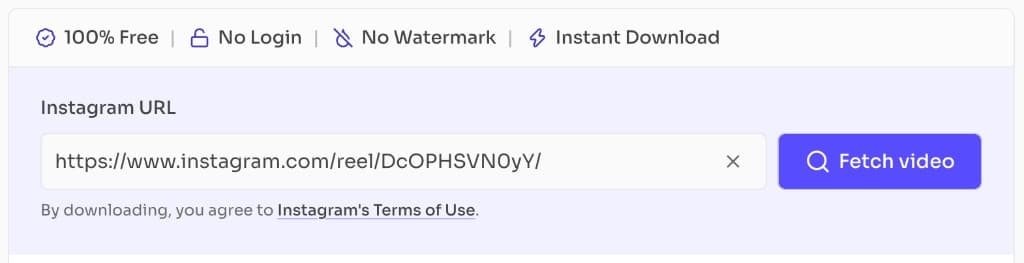
Paste the URL and fetch the video
Paste the Instagram link into the Instagram URL field and click Fetch video. Confirm the preview matches the clip you intended.
- 4
Download the MP4
When the preview shows Video + Audio ready, click Download Video. Sign in with a free FrontendGeek account if prompted, then save the MP4 to Downloads (or Files on iPhone / Android).
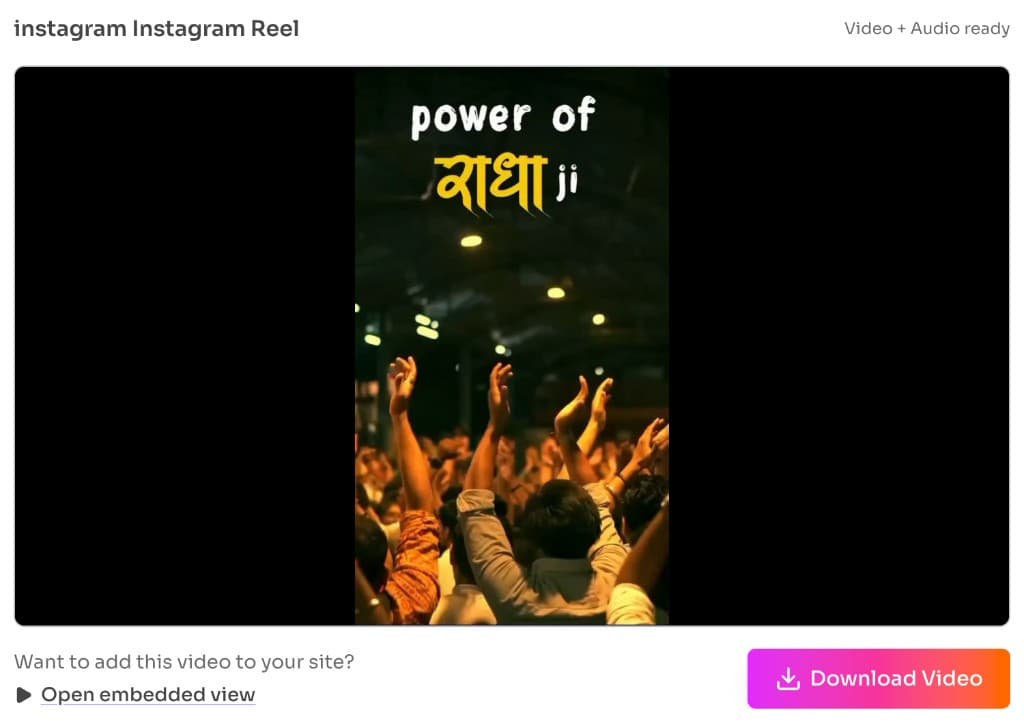
Device Support — Download Instagram videos on iPhone/Android/Mac/Windows
FrontendGeek’s Instagram downloader runs in the browser, so the same paste → Fetch video → Download Video flow works on iPhone, Android, Mac, and Windows. Copy the link in the Instagram app or on Instagram.com, then open FrontendGeek in Safari, Chrome, Edge, or Firefox.
Prefer Wi‑Fi for longer Reels so Instant Download does not stall.
iPhone / iPad
Copy the link in Instagram → open FrontendGeek in Safari → paste → Download Video → save from Files / Downloads.
Android
Copy the link → open FrontendGeek in Chrome → paste → Download Video → check Downloads or Files.
Mac
Paste the URL in Safari or Chrome → Instant Download to your Downloads folder (Finder).
Windows
Paste in Chrome or Edge → Instant Download to File Explorer Downloads.
Download Instagram videos as MP4: Supported Format
FrontendGeek Instant Download saves Instagram videos and Reels as MP4 with video and audio when available. MP4 is the supported format for phones, CapCut, iMovie, WhatsApp, and most browsers — see MDN’s guide to media container formats for why MPEG-4 is the usual choice.
Need an MP4-focused flow? Use the Instagram to MP4 Converter to paste a public link and download MP4 without converting again.
Tips for a smooth free download
- Only public Instagram links work — private accounts and expired Stories will not load
- Use Copy link from Instagram, not a shortened third-party redirect
- Stay on the page until Instant Download finishes
- If fetch fails, hard-refresh and paste the full URL again
- Prefer MP4 for CapCut, iMovie, WhatsApp, and most phones
Legal & fair use reminder
Only download Instagram content you own, have licensed, or are otherwise allowed to keep. Respect Instagram’s Terms of Use and Meta’s guidance on intellectual property. FrontendGeek tools are for legitimate offline use — not for redistributing someone else’s Reels or videos.
Frequently Asked Questions
Common questions about How to Download Instagram Videos for Free (Instagram to MP4)
- Can I download Instagram videos for free?
Yes. FrontendGeek’s free Instagram Video Downloader lets you paste a public video or Reel link and Instant Download an MP4 in your browser — no paid app required.
- How do I download an Instagram Reel as MP4?
For a Reel-focused Instant HD MP4 flow, follow How to Download Instagram Reels for Free — or paste the /reel/ link into the Instagram Reel Downloader, fetch, then Download Reel. The Instagram Video Downloader also works for many public Reel links.
- Can I download Instagram videos on iPhone or Android?
Yes. Copy the link in the Instagram app, open FrontendGeek in Safari (iPhone) or Chrome (Android), paste the URL, and save the MP4 from Downloads or the Files app.
- Do I need to install software or an extension?
No. The tool runs entirely in the browser on desktop, laptop, and mobile. You only need a modern browser and a public Instagram URL.
- Why won’t my Instagram video link load?
Private accounts, expired Stories, and incomplete or shortened URLs usually fail. Use Copy link for a full https://www.instagram.com/… URL from a public post, then hard-refresh and try again.
- Are downloads watermark-free?
Yes. FrontendGeek Instant Download saves the video as MP4 without adding a FrontendGeek watermark to the file.
- Where are downloaded Instagram videos saved?
Files go to your browser’s Downloads folder on Mac and Windows, or to Downloads / Files on Android and iPhone.
Explore More Guides
 How to Download Instagram Reels for Free — Instant HD MP4 Download
 How to Delete Instagram Account — Step by Step Guide (2026)
Understand Video Format & Quality — Best Video Quality to Download
MP4 vs WebM — Understand the Difference
MP4 vs MOV — Understand the Difference
Or browse the full Tools How to Guide.
Found this guide useful?
Share it with someone learning YouTube downloads