
Guide
How Free Online Tools Grow Organic Traffic
Updated Aug 25, 2026
Free online tools are one of the most durable ways to earn organic search traffic. A calculator, converter, or downloader answers a specific question the moment someone searches for it — and unlike a blog post that ages, a working tool keeps solving the same problem for years. This guide breaks down why single-purpose tools rank, how to plan them around real search intent, how they earn links, and how to measure the authority your growing tool suite builds over time.
Free YouTube Download Tools
Why single-purpose tools attract search traffic
Search engines reward pages that satisfy a query completely and quickly. A single-purpose tool does exactly that: someone types “youtube to mp3,” lands on a page that does one thing, and finishes their task without hunting through menus. That tight match between query and page is what Google describes in its guidance on creating helpful, people-first content — and it is why focused tools tend to outrank bloated, do-everything pages.
Tools also capture high-intent, transactional keywords that written content alone struggles to win. Phrases like “image resizer,” “jpg to png,” or “password generator” signal that the searcher wants to act, not read. Because a tool is the fastest possible answer, it earns the click, holds attention, and sends strong engagement signals back to search.
- Each tool targets a specific, repeatable query with clear intent
- Real utility keeps users on the page and brings them back
- Tools stay useful for years, so rankings compound instead of decaying
- A tool that works is inherently shareable, which seeds early links
How to choose a clear problem to solve
The best tools start with a narrow, frequent, and slightly painful problem — not a clever idea. Look for tasks people repeat often, describe in their own words, and currently solve with clunky software. Keyword research and your own Google Search Console data reveal the exact phrasing real users type, which should shape both the tool and the page title.
Validate demand before you build. Check monthly search volume, scan the pages already ranking, and ask whether you can make something faster, cleaner, or more private — for example, by processing files in the browser instead of on a server. If a query has steady volume and mediocre incumbents, that is a strong signal to build.
- Pick problems users face repeatedly, not once
- Match the tool name to how people actually search
- Confirm there is real search volume before committing
- Aim to beat existing results on speed, clarity, or privacy
How to build separate pages for each search intent
One tool, one page, one intent. Resist the urge to cram every variation into a single URL. Someone searching for a YouTube Video Downloader has a different intent than someone who wants a YouTube to MP3 Converter or a YouTube Shorts Downloader — even though they share the same source. Giving each its own page lets you tailor the title, description, examples, and on-page copy to that exact query.
Separate pages also multiply your ranking surface. Instead of one page competing for a dozen keywords, you get a dozen focused pages, each able to rank, earn links, and appear in different results. Keep the layout and interaction consistent so users recognize the family, but let the words on each page speak to its specific search.
- Give every distinct query its own indexable URL
- Write the title, meta description, and headings for that single intent
- Avoid keyword overlap that makes your own pages compete
- Reuse the interface, but customize the copy and examples per page
How tool hubs and internal links help discovery
Individual tools are stronger when they belong to a hub. A category page — say, a set of social or image tools — groups related utilities, passes authority between them, and helps search engines understand how your pages relate. Internal links are the connective tissue: a well-linked hub spreads ranking strength from your most popular tools to newer ones.
Cross-link tools that solve adjacent problems. A visitor on the YouTube Video Downloader may also want the YouTube to MP3 Converter or the YouTube Shorts Downloader, so link them contextually with descriptive anchors. These internal links raise time on site, speed up crawling and indexing of new pages, and guide users to the next task — a pattern Google explains in its links best practices.
- Group related tools under clear hub or category pages
- Link new tools from established, high-traffic ones
- Use descriptive anchor text that names the destination tool
- Keep every tool reachable within a few clicks of the homepage
How useful tools earn backlinks
Genuinely useful tools attract links because people cite what helps them. A blogger explaining how to convert a file, a teacher sharing a resource, or a forum answer pointing to a fix will link to a tool that just works — no outreach required. It is the same principle behind the linkable assets that SEO practitioners at Ahrefs and Backlinko document: the more a page saves someone effort, the more naturally it gets referenced.
You can accelerate this. Publish a short how-to guide beside each tool, make sharing and embedding easy, and ensure the tool loads fast on mobile. Free, no-signup access lowers the barrier for others to recommend you, and every organic mention strengthens the whole domain.
- Solve the problem so well that citing you is the obvious choice
- Pair tools with concise guides that others can reference
- Remove friction: free, fast, and no forced sign-up
- Make sharing and embedding simple to invite natural links
How to measure authority as the tool suite grows
As you add tools, track authority at both the page and domain level. Watch keyword rankings, impressions, and clicks in Search Console, and monitor which tools earn links over time. The goal is to see whether new pages inherit strength from the domain and whether your link profile is improving in quality, not just quantity.
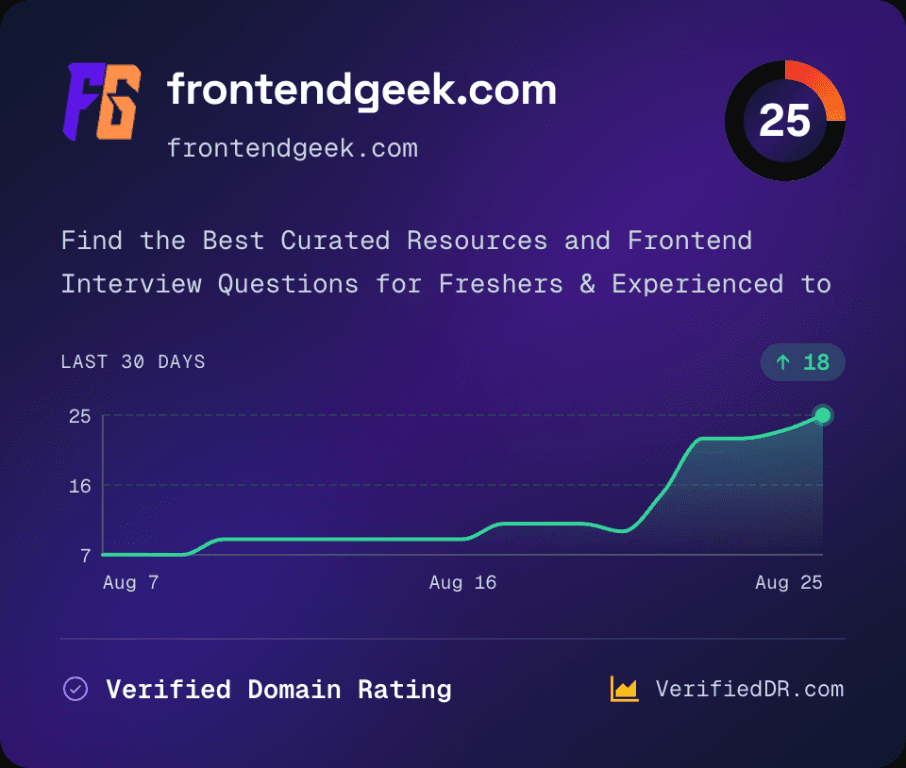
As your tool library earns links, use VerifiedDR to check its Domain Rating, TrueDR, traffic evidence, and backlink quality. This shows whether growth comes from trusted websites or weak links.
Treat these metrics as a feedback loop. If a cluster of tools is climbing and attracting reputable links, double down with more pages in that category. If growth is flat or fueled by low-quality links, revisit the intent match, the content around each tool, and the sites sending you links.
- Track rankings, impressions, and clicks per tool page
- Separate link quantity from link quality
- Watch whether new tools inherit domain authority faster over time
- Let the data decide which categories to expand
When to update or remove a tool
Tools are not set-and-forget. APIs change, file formats evolve, and search intent shifts — a tool that once ranked well can quietly break or fall behind competitors. Schedule periodic checks: does it still work, still match what searchers expect, and still earn traffic and links?
Update tools that have demand but are showing their age, and retire ones that no longer serve a purpose. When you remove a page, redirect it to the closest relevant tool or hub so you preserve any links it earned. Pruning dead weight keeps the suite trustworthy and focuses authority on the pages that still convert search traffic into real use.
- Audit tools regularly for broken functionality and outdated intent
- Refresh high-demand tools instead of letting them decay
- Retire or merge tools that no longer attract traffic
- Redirect removed pages to preserve earned links and authority
More Guides for Social Tools, AI Tools & Other Developer Tools
 How to Download YouTube Videos as MP4
YouTube MP4 Download Not Working [Troubleshooting]
Understand Video Format & Quality — Best Video Quality to Download
MP4 vs WebM — Understand the Difference
MP4 vs MOV — Understand the Difference
Why Sometimes YouTube Downloads Have No Audio [Troubleshooting]
Or browse the full Tools How to Guide.
Found this guide useful?
Share it with someone learning YouTube downloads